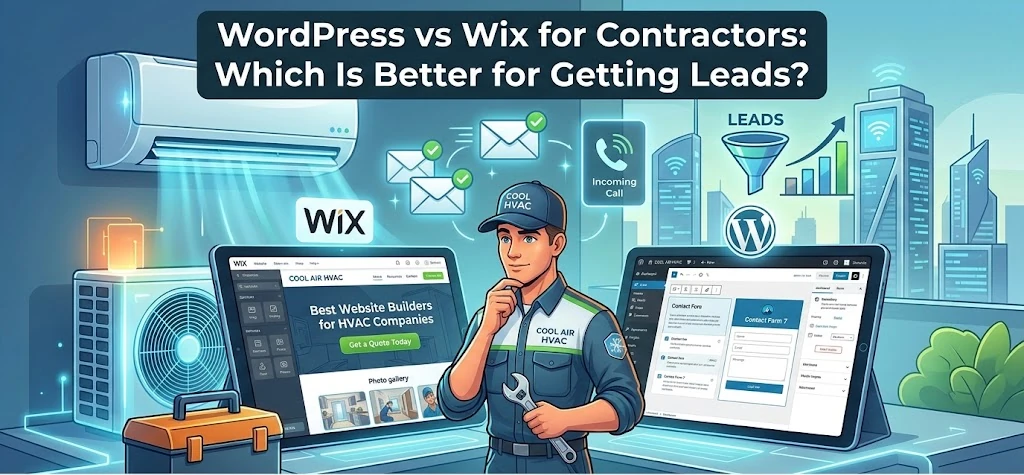
If you’re a contractor looking to get more customers online, you’ve probably landed on the same two options everyone talks about: WordPress and Wix. Both can give you a website. But when it comes to actually ranking on Google and turning visitors into phone calls, they are not the same.
This guide breaks down exactly how WordPress and Wix compare for contractors — HVAC technicians, plumbers, electricians, roofers, and similar trades — so you can make the right call for your business.
Table of Contents
The Short Answer
WordPress wins for contractors who want to rank on Google and generate consistent leads. Wix is easier to set up but has real limitations when it comes to local SEO and long-term growth.
If all you need is a basic web presence — something to send people to when they ask for your website — Wix will do the job. But if you want your phone to ring from Google searches like “plumber near me” or “HVAC repair in [your city],” WordPress is the stronger platform by a significant margin.
Why This Decision Matters for Contractors
Most contractors get their leads from three places: referrals, Google Search, and Google Maps. You can’t control referrals. But you can control how well your website performs in search — and your website platform is one of the biggest factors in that.
A poorly built or poorly optimized website means you’re invisible online. Customers who need an electrician or a roofer right now aren’t flipping through the Yellow Pages — they’re Googling. If your competitor’s site outranks yours, they get the call. You don’t.
So the platform you build on matters more than most contractors realize.
WordPress vs Wix: Head-to-Head for Contractors
SEO and Local Search Rankings
This is the most important category for contractors, and it isn’t close.
WordPress gives you complete control over every SEO element on your site. With plugins like Yoast SEO or Rank Math, you can fine-tune page titles, meta descriptions, heading structure, image alt tags, XML sitemaps, schema markup, and more. You can create dedicated service pages optimized for keywords like “furnace installation Babylon NY” or “emergency plumber Suffolk County” — the specific searches that bring in paying customers.
WordPress also supports local business schema markup, which helps Google understand exactly what you do, where you do it, and how to display your business in local search results.
Wix has improved its SEO tools over the years, and you can set basic titles and descriptions. But it still lags behind WordPress on technical SEO. Page speed — a direct Google ranking factor — tends to be slower on Wix. Implementing advanced schema markup is harder. And the overall flexibility just isn’t there when you need to build out a serious local SEO strategy.
Winner: WordPress — and it’s not close.
Creating Location and Service Pages
If you serve multiple towns or cities, you need location-specific pages on your website. A page titled “Electrical Services in Commack, NY” has a much better chance of ranking for searches in Commack than a generic homepage ever will.
WordPress makes it easy to create as many location and service pages as you need, each fully optimized for its own keywords. This is one of the most effective local SEO tactics for contractors, and WordPress is built for it.
Wix technically lets you create multiple pages, but the templates and structure make it harder to build out a proper location page strategy without things looking cluttered or inconsistent. Scaling to 20 or 30 location pages on Wix is a headache.
Winner: WordPress
Ease of Use
Here’s where Wix genuinely wins.
Wix uses a drag-and-drop builder that almost anyone can figure out in an afternoon. You pick a template, customize your colors and text, add your phone number and photos, and you’re live. No coding, no plugins, no configuration headaches.
WordPress has a steeper learning curve. You need to choose a theme, install plugins, configure SEO settings, set up hosting separately, and understand at least the basics of how the backend works. Done wrong, a WordPress site can be slow, broken, or insecure.
That said — and this is important — most contractors who build their own Wix site still end up with a site that doesn’t rank. Ease of building and ability to generate leads are two different things.
Winner: Wix — but this only matters if you’re building it yourself.
Design and Customization
Wix has beautiful, modern templates and a flexible visual editor. For a contractor who wants something that looks good quickly, Wix templates are genuinely impressive.
WordPress has thousands of themes and page builders (like Elementor or Divi) that offer virtually unlimited customization. The ceiling is much higher — a professionally built WordPress site can look just as sharp as anything on Wix, while also being faster and more SEO-friendly.
Winner: Tie — Wix is easier, WordPress has higher upside.
Speed and Performance
Google uses page speed as a ranking factor. Slow sites also frustrate visitors — and a frustrated visitor who can’t load your site on their phone just calls your competitor instead.
WordPress, when properly configured with a good hosting provider and caching plugin, consistently outperforms Wix on Google’s Core Web Vitals scores. You have full control over your hosting environment, image optimization, caching, and code.
Wix hosts everything on its own infrastructure, which means you don’t control performance. Wix has gotten faster, but it still generally scores lower than an optimized WordPress site.
Winner: WordPress
Ownership and Portability
This one matters more than contractors expect.
With WordPress, you own everything. Your content, your design, your data. If you want to switch hosting providers or agencies, you take your site with you.
With Wix, your site lives on Wix’s servers. You cannot export your site and move it somewhere else. If Wix raises prices, changes its platform, or goes away, your site goes with it. You’re renting, not owning.
Winner: WordPress
Cost
Wix plans run roughly $17–$49/month depending on features. There’s no separate hosting cost since it’s all bundled in.
WordPress itself is free, but you’ll pay for hosting ($10–$30/month for good shared hosting), a premium theme ($50–$100 one-time), and potentially plugins. A DIY WordPress site costs roughly the same as Wix annually.
Where the cost difference shows up is with professional builds. A custom WordPress site from an agency typically runs $1,500–$5,000+ upfront. Some agencies — like Tobay Digital — offer a no-upfront-cost model where the site is built for free for a flat monthly fee, which makes professional WordPress accessible for smaller contractors.
Winner: Roughly even for DIY. WordPress wins for professional builds with the right agency.
The Real Question: DIY or Professional Build?
Here’s what most “WordPress vs Wix” comparisons miss entirely.
The platform matters less than how it’s built and optimized. A badly built WordPress site will underperform a well-optimized Wix site. But a professionally built and optimized WordPress site will almost always outperform a DIY Wix site in local search rankings.
Most contractors don’t have the time or inclination to learn SEO, keyword research, page structure, and technical optimization. That’s not a criticism — you’re running a business. Your time is better spent doing jobs and managing your crew than figuring out why your meta descriptions aren’t showing up in Google.
That’s why the real question isn’t “WordPress or Wix?” — it’s “Should I build this myself, or hire someone who specializes in contractor websites?”
Who Should Use Wix?
Wix makes sense if:
- You’re brand new and just need something online quickly
- You have very limited budget and can’t invest in professional help
- You’re not focused on ranking organically and plan to rely only on referrals or paid ads
- You understand the SEO limitations and are okay with them for now
Who Should Use WordPress?
WordPress is the right call if:
- You want to rank on Google for searches in your service area
- You serve multiple cities or towns and need location pages
- You’re thinking long-term about growing your online presence
- You’re working with a professional web designer or agency
- You want to own your website outright
How Tobay Digital Can Help
At Tobay Digital, we build WordPress websites specifically for contractors and trade businesses — HVAC companies, plumbers, electricians, roofers, junk removal, cleaners, and more. We don’t use Wix or Squarespace because we’ve seen what happens when contractors try to compete in local search on those platforms.
Every site we build includes on-page SEO from day one, location pages for every city you serve, mobile-first design, and conversion-focused layouts that turn visitors into calls. And we do it with no upfront cost — just a flat monthly fee and no long-term contract.
If you’re a contractor and you’re tired of your competitors showing up on Google while you don’t, let’s talk.
→ Get a free website mockup from Tobay Digital today.
Frequently Asked Questions
Is WordPress or Wix better for a contractor website? WordPress is better for contractors who want to rank on Google and generate leads. Wix is easier to build but has limitations in local SEO and location page scaling that put contractors at a disadvantage in search results.
Can I rank on Google with a Wix website? Yes, it’s possible to rank on Google with a Wix website, but it’s harder than with a properly optimized WordPress site. Wix’s page speed, technical SEO limitations, and less flexible structure make it more difficult to compete against established local contractors.
How much does a contractor website cost? A DIY website on Wix costs $17–$49/month. A professionally built WordPress site typically starts around $1,500–$3,000 upfront, though some agencies offer no-upfront-cost models with a flat monthly fee.
What’s the best website platform for local SEO? WordPress is widely considered the best platform for local SEO. It gives you full control over technical SEO, supports local business schema markup, and allows for unlimited location and service pages — all critical factors for contractors trying to rank in specific cities and towns.